
For independent basketball coaches
Plan better practices. Develop every player.
Your season plan, 128 skills with teaching points, more than a thousand drills with diagrams and your practices together in one app. Ready the moment you sign up.
$89.00 per year · pay by card or PayPal · cancel any time
128skills with teaching points
1,065drills with diagrams
U10–Seniorsa basic planning for every age group
NL · ENin Dutch and English
Everything in one place
From season plan to the practice of tonight
No more loose documents, notebooks and screenshots. Every part of your coaching is linked: a skill knows its drills, a drill knows its ages, a practice knows its week.
Development plan
Your vision and learning tracks per age group, as a draft you adopt when it is ready. Start empty, import from Word or use a template.
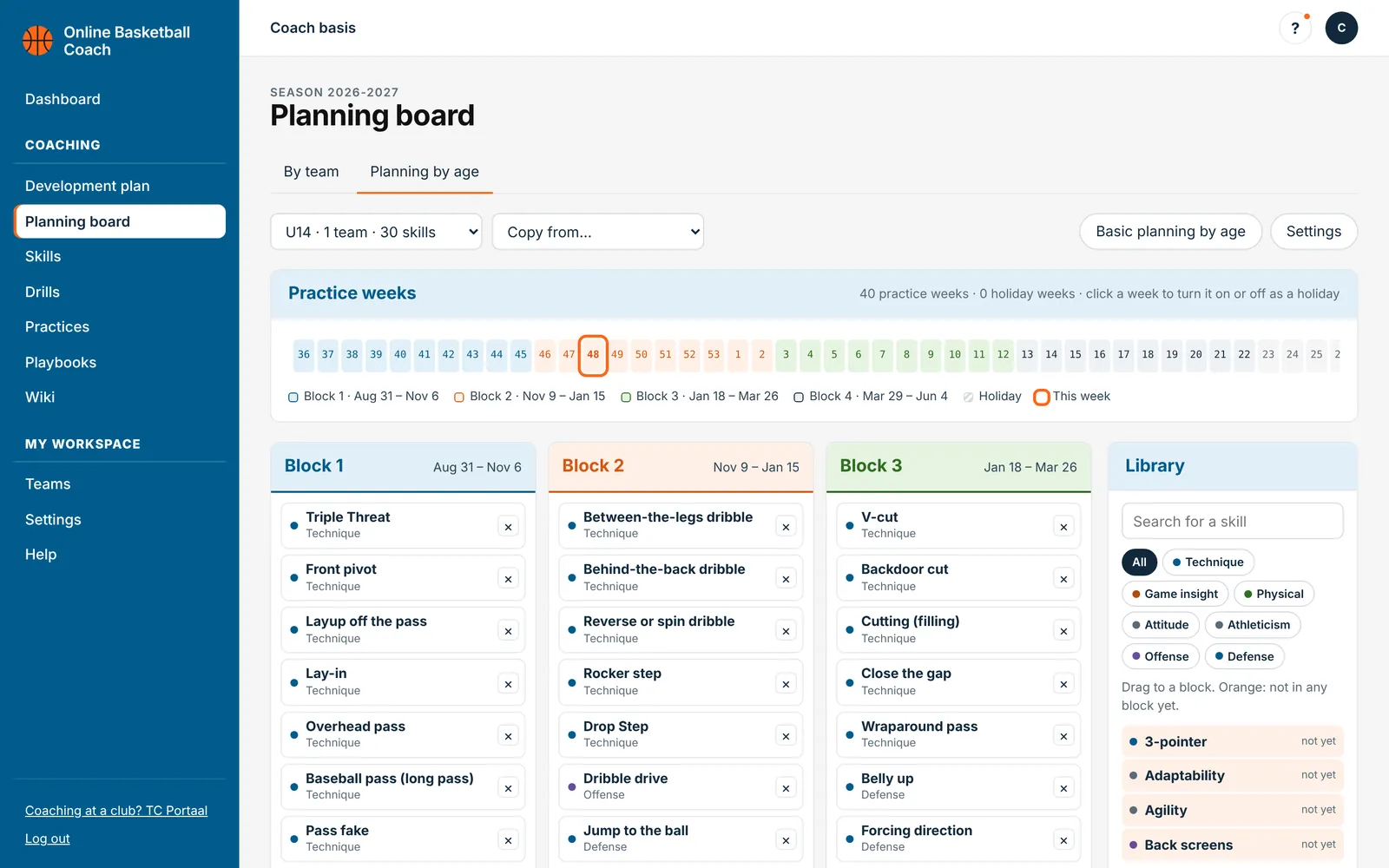
Planning board
Spread skills over four blocks and the practice weeks of your season, per age group or per team, and tick off what you have covered.
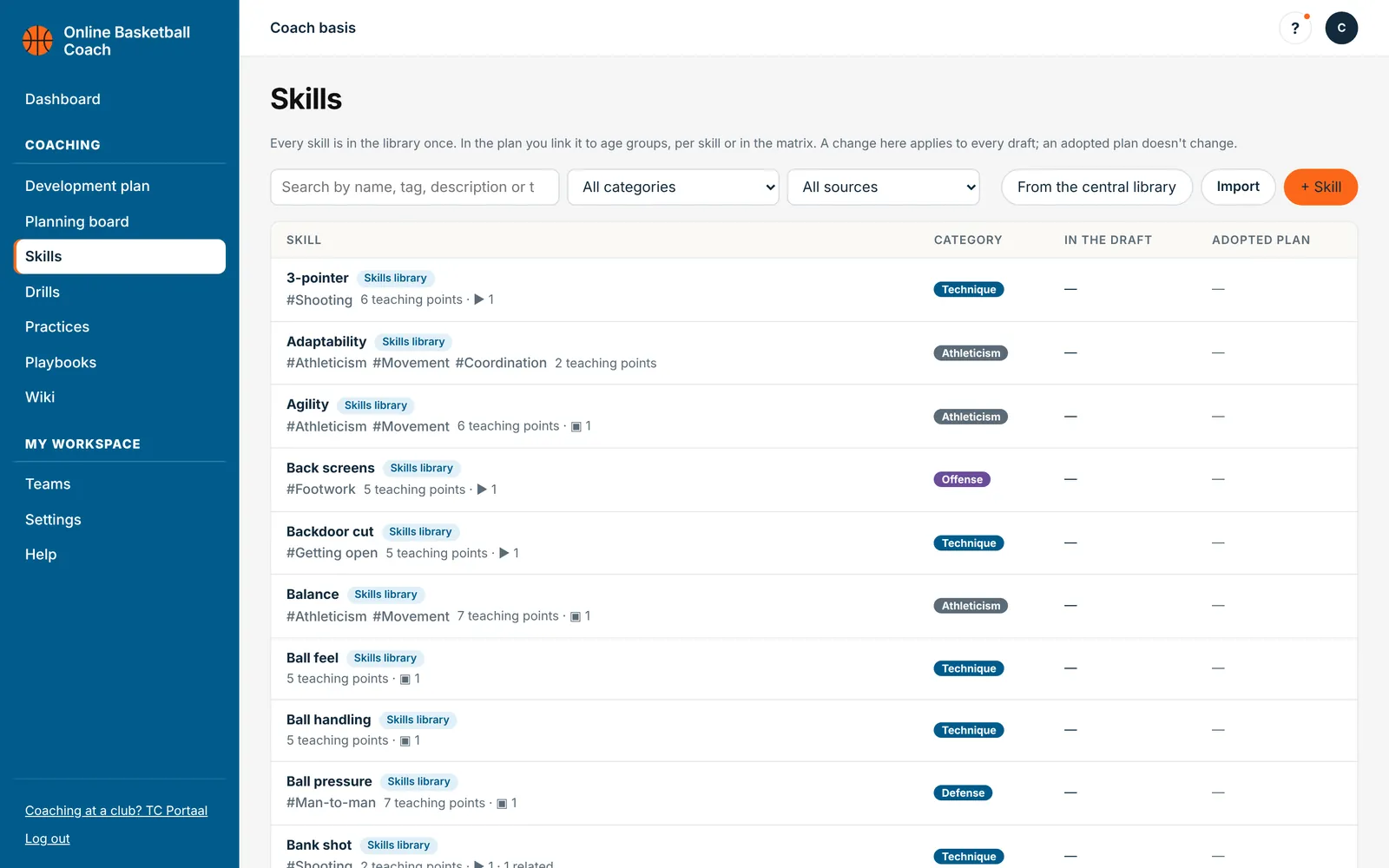
Skills library
128 skills with explanation, teaching points, images and video, sorted by category and tag. Add your own whenever you like.
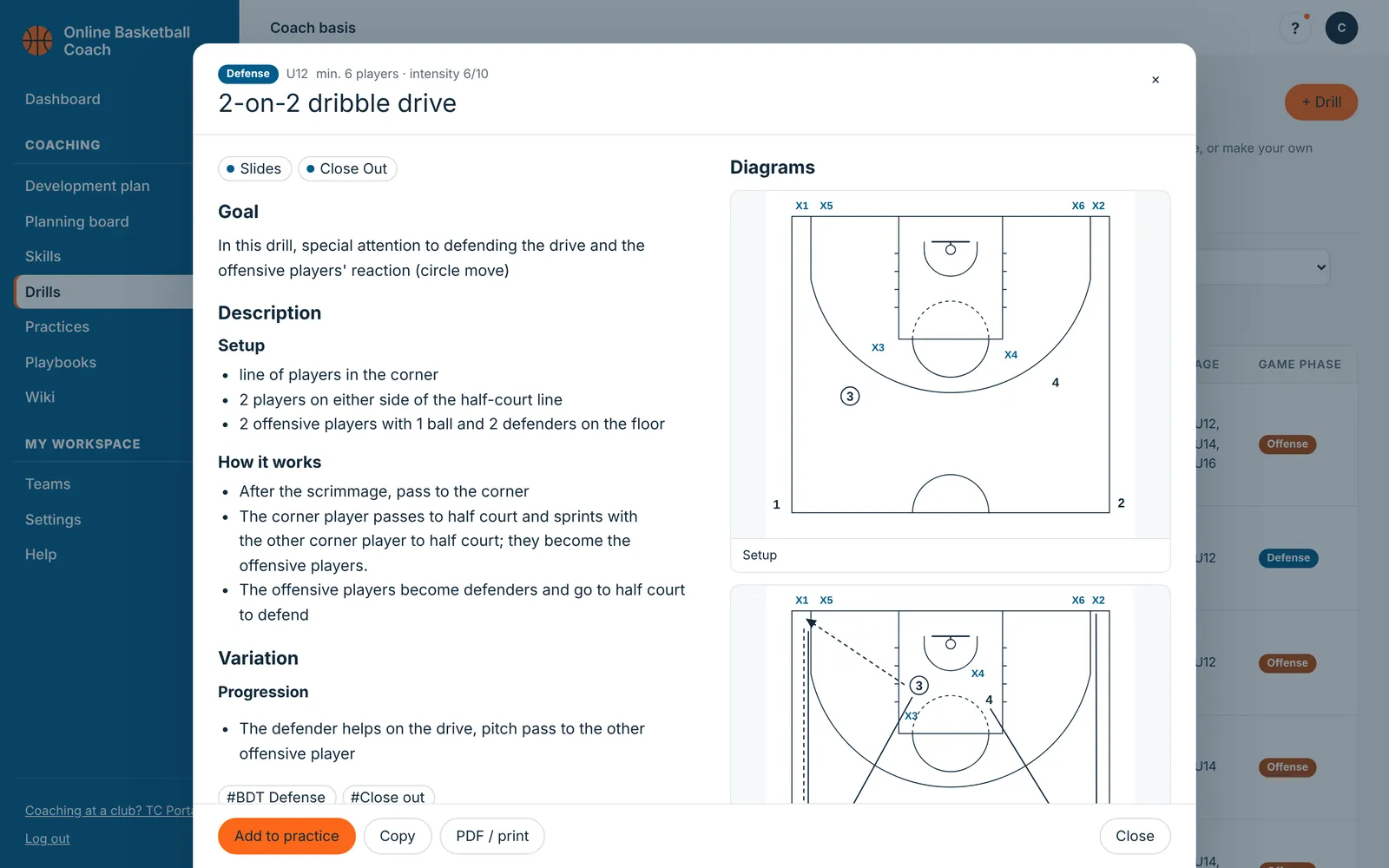
Drills
More than a thousand drills with diagrams, searchable by game phase, skill, age and tag. Draw your own with the drawing tool.
Practices
Build a practice in blocks, save it as a template, print it or open it on a tablet in the gym.
Playbooks
Plays per team, drawn step by step, played back on screen and shared with your players through a private link.
Wiki
Your own knowledge base: pages in a tree with tags, images, video and PDF export.
Help on every screen
An explanation on every screen, step-by-step guides and answers to common questions, right inside the app.
Planning board
A season plan that is ready on day one
Every age group gets a basic planning straight away: the skills that are new at that age, spread over four blocks. You drag, remove and add until it fits your team.
- Block 1 · Laying the foundation
- Block 2 · Learning to decide
- Block 3 · Applying it in games
- Block 4 · Improving and evaluating
Drills
More than a thousand drills, linked to your skills
Search by game phase, skill, age or tag and open a drill with its goal, setup, steps, variations and diagrams. One click adds it to your next practice.
- Diagrams you can edit with the drawing tool
- Copy a drill and make it your own
- Print it or save it as PDF
Skills library
Know what to teach, at every age
Each skill comes with an explanation and teaching points, from the triple threat to help and recover. Tags and categories make the right skill easy to find.
- Technique, game insight, offense, defense and athleticism
- Images, video and diagrams per skill
- Import your own list from Excel or CSV
Up and running tonight
Sign up and pay
Create your account and pay the yearly subscription through Mollie. It takes two minutes.
Your workspace is ready
Age groups, the skills library, the drills and a basic planning per age group are already in place.
Plan and coach
Add your teams, adjust the planning board and build your first practice. Everything works on laptop, tablet and phone.
Pricing
One plan. Everything included.
No modules to add, no limits per team. You pay once a year and the subscription renews until you cancel, which you can do in the app at any time.
$89.00 per year, including VAT
- Development plan, planning board and practices
- 128 skills with teaching points
- More than a thousand drills with diagrams
- Playbooks with a private link for your players
- Your own wiki
- As many teams as you coach
- All updates included
Secure payment via Mollie: credit card or PayPal.
Questions
Who is Online Basketball Coach for?
For independent coaches: trainers who plan their own practices, at any level from U10 to seniors. You own your workspace and everything in it.
Which drills and skills are included?
The full library of 128 skills with teaching points and more than a thousand drills with diagrams, linked to those skills and to age groups. You can add and change your own as well.
Can I use it in the gym?
Yes. The app works in the browser on laptop, tablet and phone. Open your practice on a tablet courtside, or print it.
In which languages is the app available?
In Dutch and English: the screens, the help and the skills and drills from the library.
How do I pay and how do I cancel?
You pay the yearly subscription through Mollie by credit card or PayPal. It renews every year until you cancel, which you can do yourself in the app under My account.
Ready for your next practice?
Sign up today and plan your season with everything you need.